Decide without opening the app
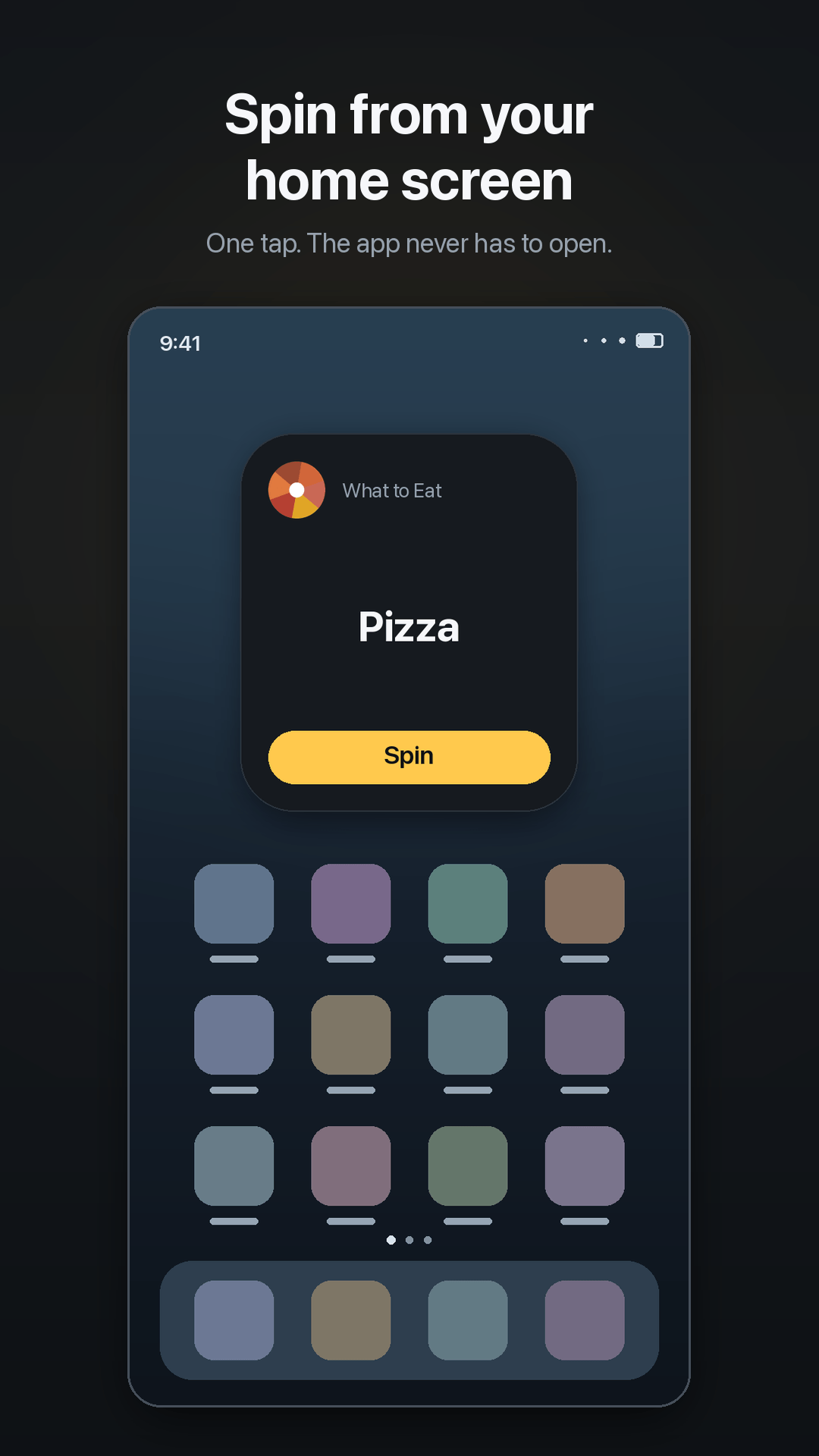
Put the widget on your home screen and one tap gives you an answer. Most decisions this gets used for take about ten seconds, and launching an app was most of the ten seconds.
Can’t decide? Spin the wheel of names. 100+ ready-made wheels, or build one.
The winner is drawn before the wheel turns, so weighted odds are exactly the odds.
Key features
Everything below is in the app today. Nothing here is a roadmap item.
Put the widget on your home screen and one tap gives you an answer. Most decisions this gets used for take about ten seconds, and launching an app was most of the ten seconds.
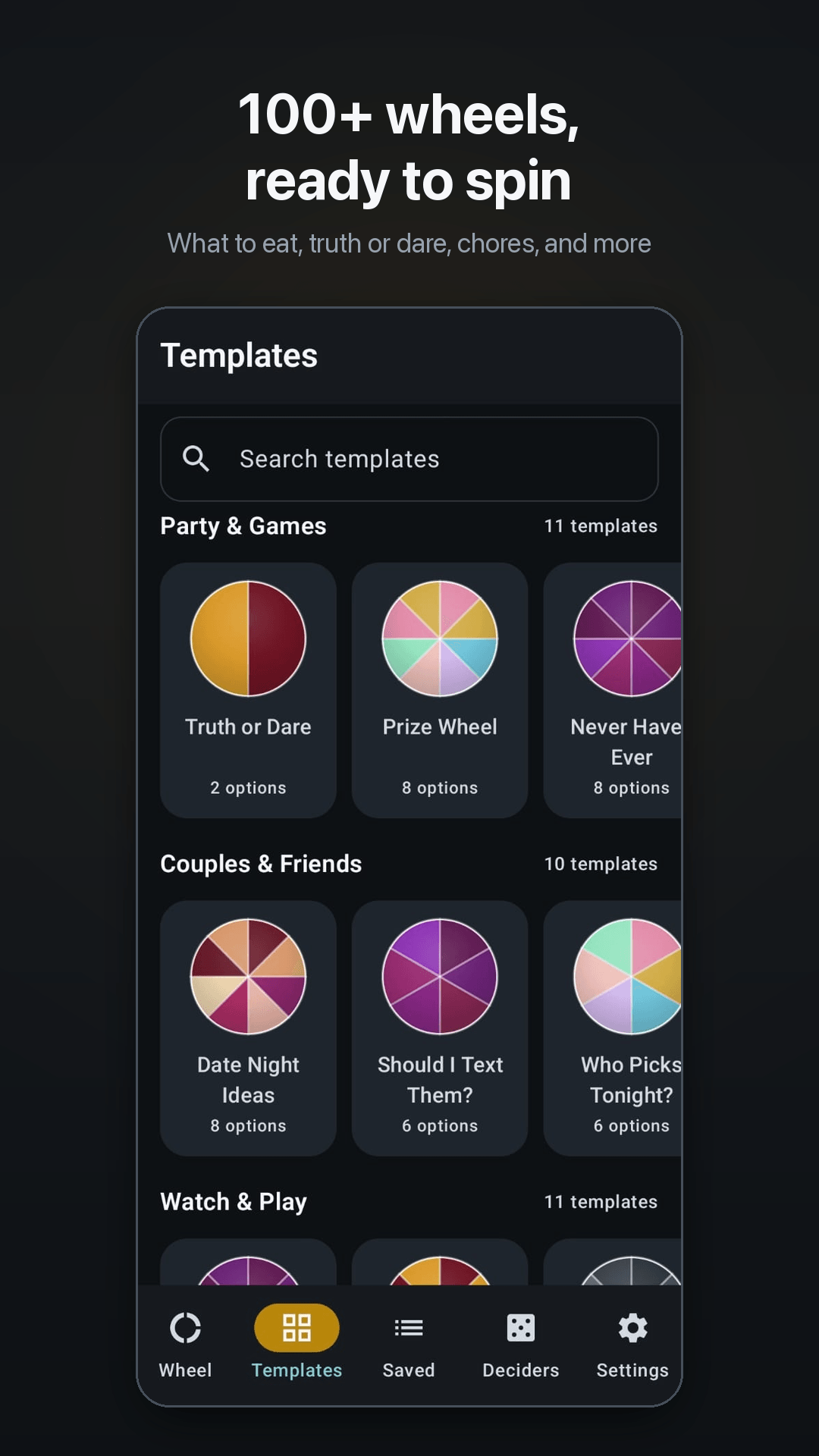
Grouped by occasion — what to eat, date night, truth or dare, chores, classroom names, workouts, travel, yes or no, team picker, numbers — so the first spin needs no setup at all.
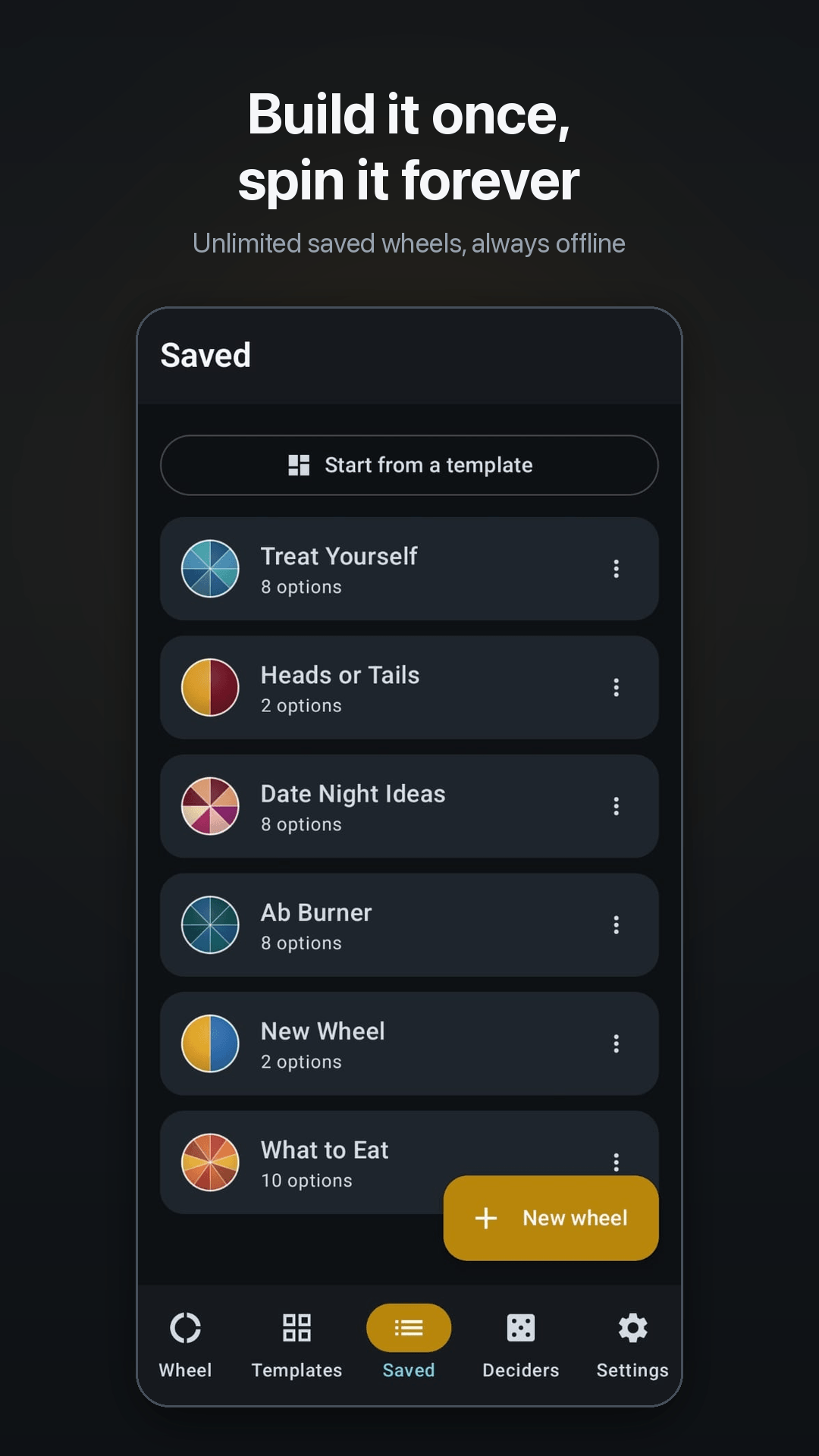
Save as many wheels as you like and reuse them. Every change saves as you type, so a phone call or a crash cannot cost you the list you just built, and search finds one by name once you have a few dozen.
Drop in a class register or a list of names and the wheel builds itself, rather than making you add entries one at a time. Shuffle, sort, reverse or strip duplicates in a single tap.
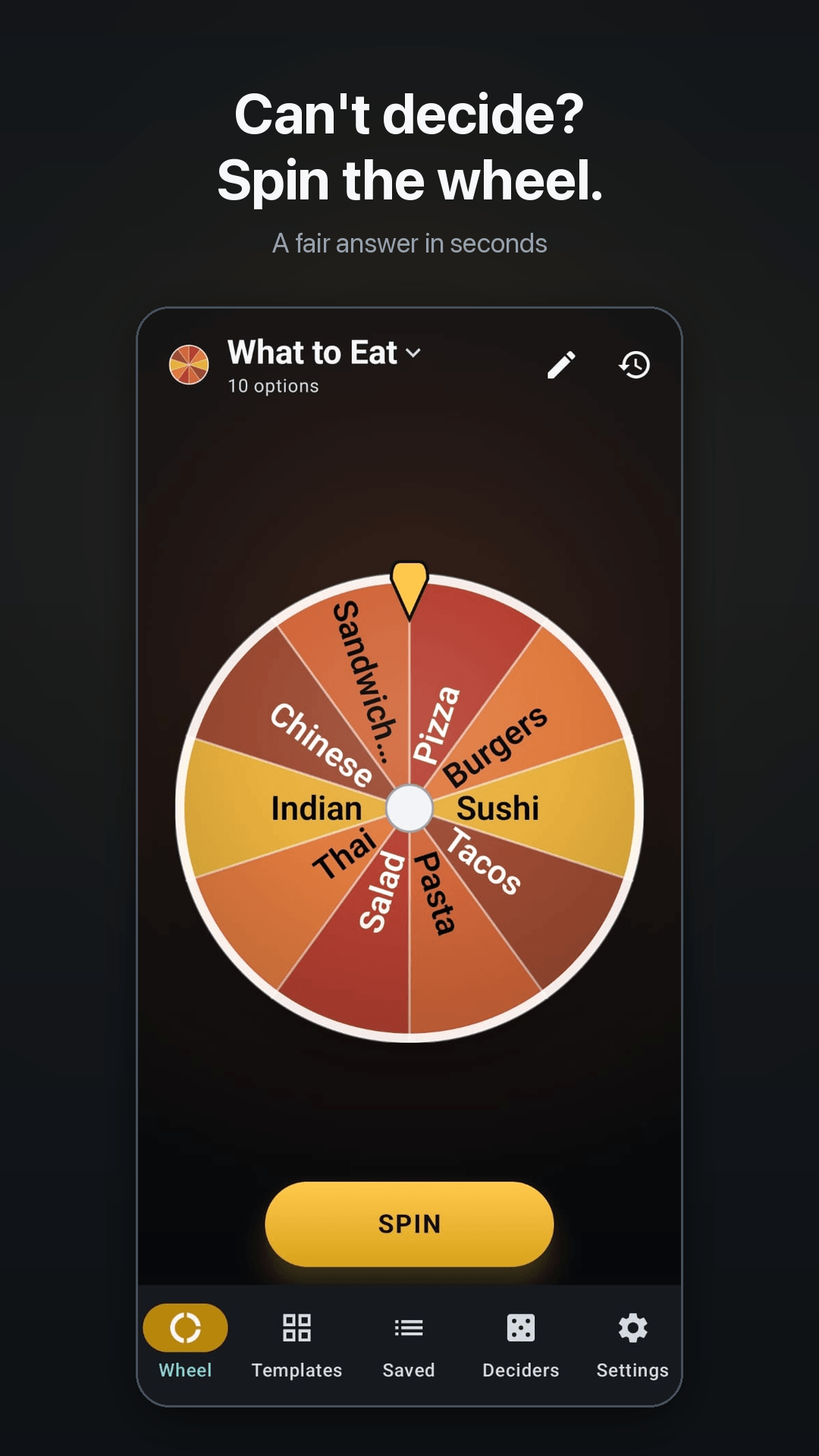
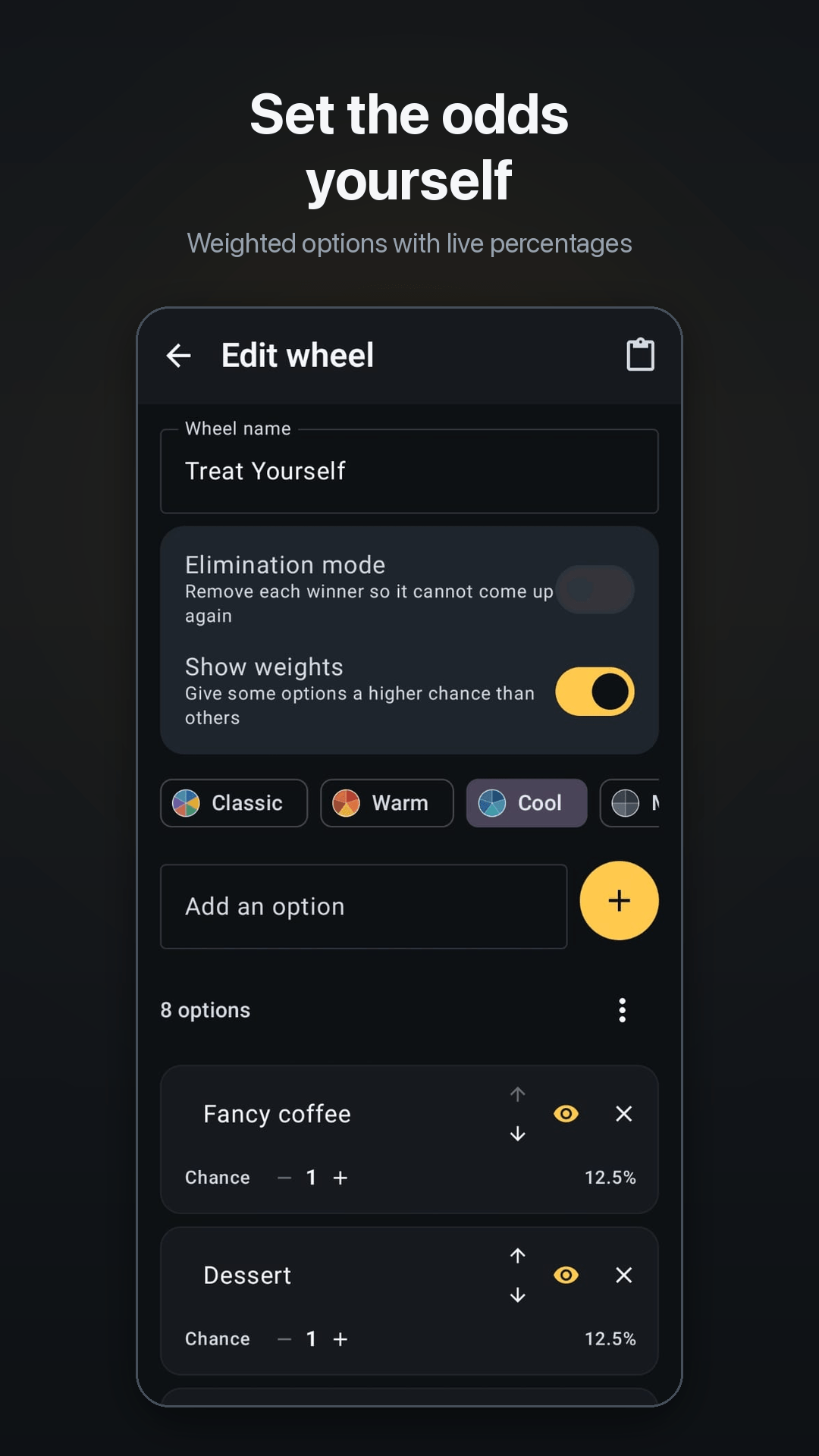
Give some entries a bigger share and see the real percentages as you set them. The winner is drawn first and the animation is matched to it, so a 3× entry really is picked three times as often — most wheel apps spin to a random angle and read off whatever lands under the pointer.
Each winner is removed so the same name cannot come up twice — the right behaviour for drawing an order or running a knockout.
Save every wheel to a file of your own and restore it on any phone, with no account in the middle. You choose where the file goes, and from then on it is yours.
Hundreds of entries remain legible, where most wheel apps turn into an unreadable blur somewhere past fifty. Spin history keeps every result and how often each option has come up.
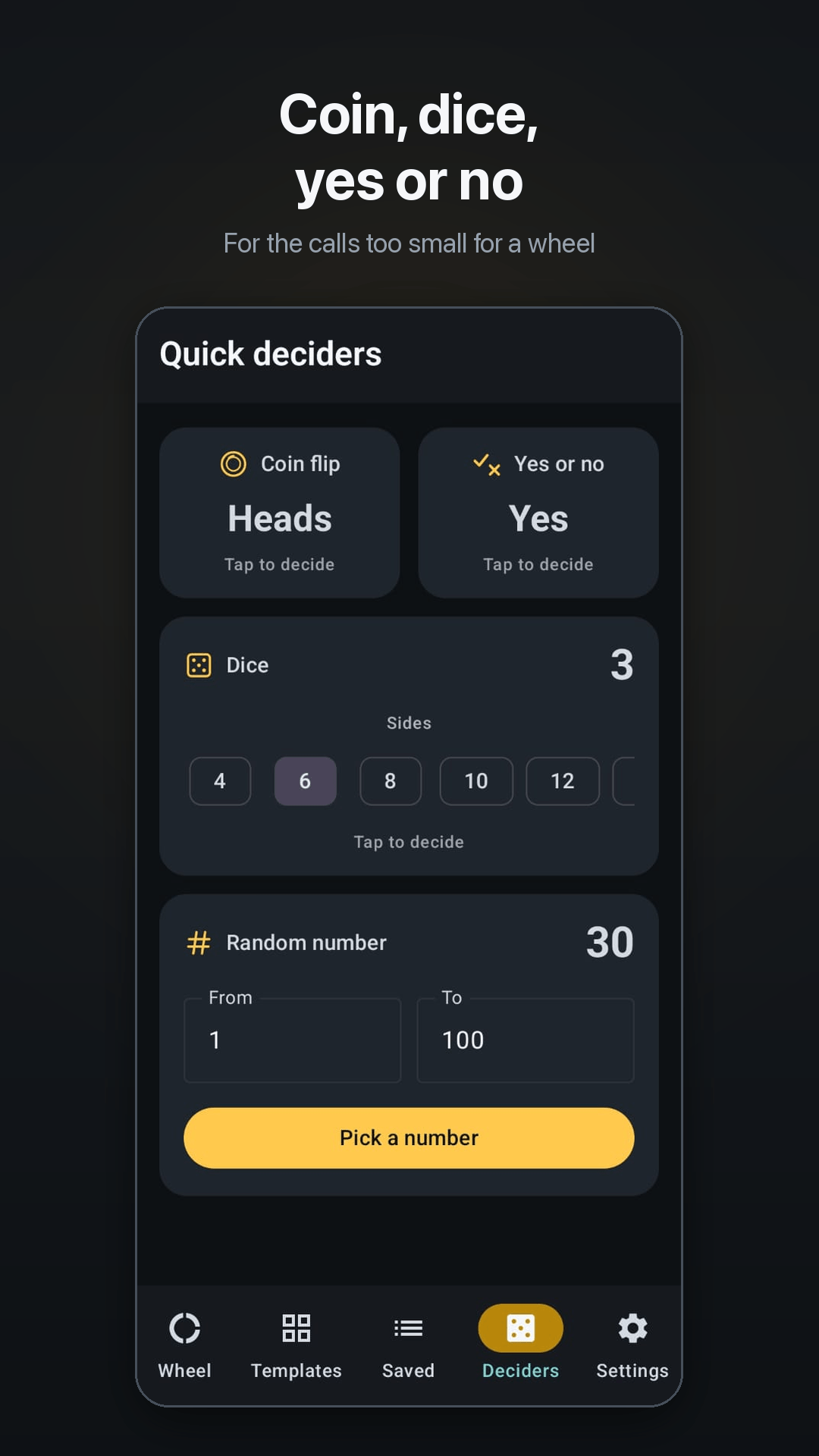
Coin flip, dice, random number and a plain yes or no, for when a whole wheel is more than the question needs.
What it looks like
Who it's for
A wheel of names makes it visibly random, so nobody can claim you have favourites. Paste the register once and reuse it all year.
Put the options in, spin, and the argument is over. There is a ready-made What to Eat wheel if you cannot even be bothered to type them.
Spin it in front of everyone watching. Elimination mode draws a full running order without ever repeating a name.
Chores, teams, who goes next, truth or dare — anything where the fairest answer is the one nobody chose.
How it works
How the draw works, why the weights you set are exact, and the two things an app does that a browser tab cannot.
A random name picker for Android that runs with no connection and no account. How the draw actually works, and why the weights you set are exact.
Read itPick students fairly without anyone claiming favouritism. A classroom name picker for Android that works with no internet and remembers your class list.
Read itEvery part of Spin Wheel works with no connection — building wheels, spinning, templates, saved lists and history. Why that matters and what still needs data.
Read itA home screen widget that spins a wheel in one tap, without opening the app. How to add it, what it can do, and why it changes how often you use a picker.
Read itTry it first
Part of this app, running on this site — so you can see whether it answers your question before you install anything.
One wheel, this page only. Nothing is saved and nothing is sent anywhere.
Price
Free. Every feature, with no subscription, paywall or pro version — ads pay for it, and watching one short video removes them for a day.
Free to download from Google Play. No account, no sign-up.
Spin Wheel: Random Picker —Get it onGoogle PlaySmall print
Everything this app is committed to, in the documents that commit it.
Read exactly what stays on your phone, and precisely what the one outside company involved in this app can see.
The app is free and paid for by advertising rather than by you. A spin is a random draw for settling things between yourselves — not a certified or audited draw, and not evidence of one.
Every third-party library inside this app, who holds its copyright, and the terms it is used under.